Get a Quote
Get a Quote
In today’s rapidly evolving business landscape, organizations across the United States and Canada are investing in modern ERP solutions to streamline operations, improve efficiency, and support growth.
Many companies still rely on disconnected systems, spreadsheets, legacy ERP platforms, or accounting software that can no longer meet their business needs. As a result, more businesses are choosing Odoo ERP as a scalable and cost-effective solution to manage accounting, inventory, CRM, sales, manufacturing, eCommerce, and operations from a single platform.
However, ERP migration is not simply a software upgrade it is a strategic business transformation project.
Without proper planning, businesses can experience data loss, operational disruptions, compliance issues, and unexpected costs.
This comprehensive Odoo Migration Checklist will help USA and Canadian businesses prepare for a successful ERP migration while minimizing risks and maximizing return on investment.
Organizations across North America are moving to Odoo because traditional systems often create challenges such as:
Odoo addresses these challenges through a fully integrated ERP platform that connects all business operations in one system.
Key benefits include:
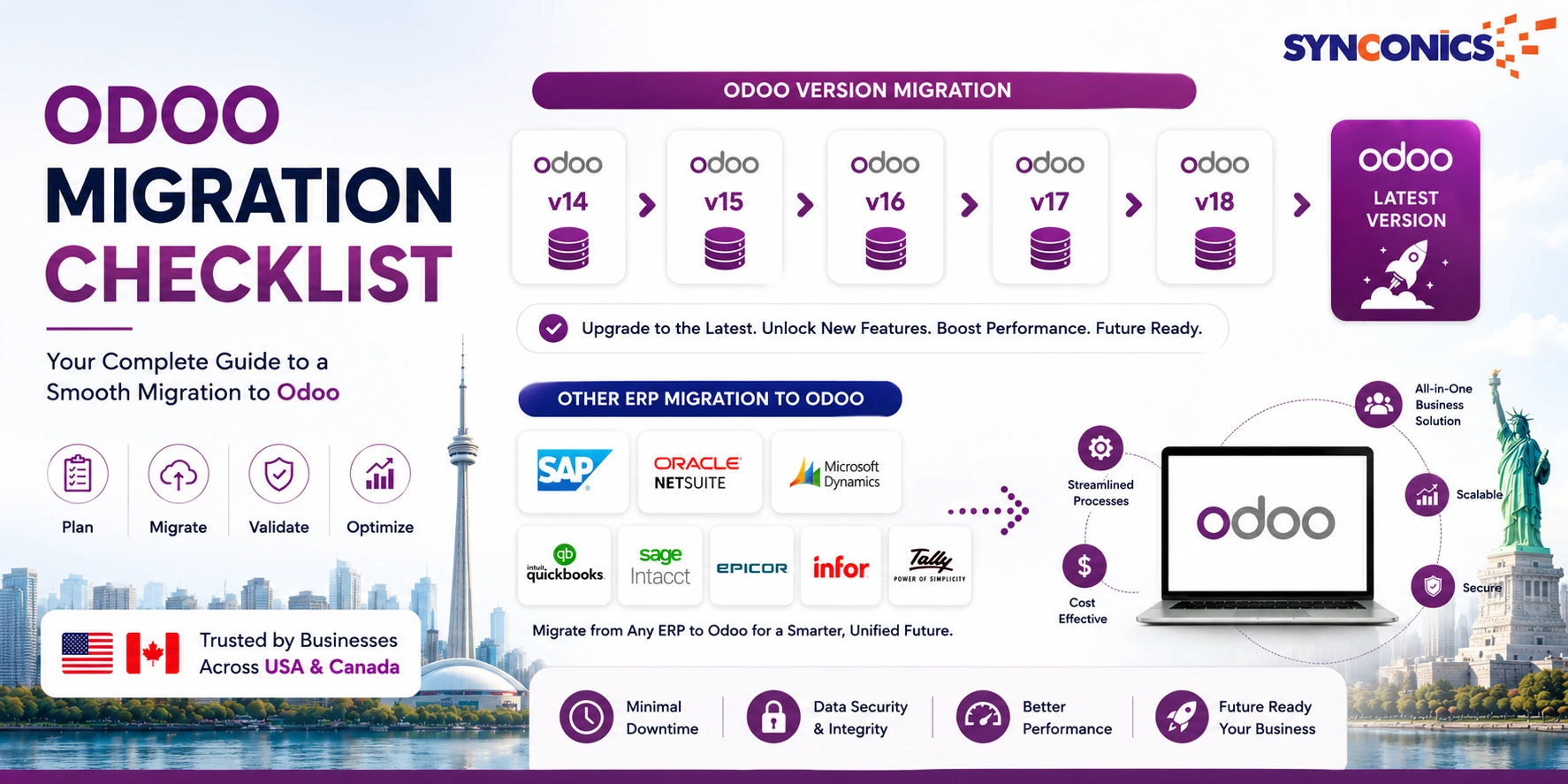
Odoo migration refers to the process of moving business data, workflows, configurations, and users from an existing platform into Odoo ERP. Migration projects typically fall into three categories:
Moving from systems such as:
Migrating from:
Our team has 14+ years of experience helping businesses migrate from older Odoo versions and legacy ERP systems with minimal downtime.
Book a Free Odoo Migration Consultation
Review every application currently used by your organization.
Understanding your current technology stack prevents migration surprises later.
One of the most critical migration tasks is determining what data should move into Odoo.
Avoid migrating outdated or duplicate records.
Clean data leads to a cleaner ERP environment.
Businesses in both countries must configure Odoo correctly for financial compliance.
Accurate tax configuration ensures smoother financial operations and reporting.
Odoo offers a comprehensive suite of applications.
Popular modules include:
Implement only the modules necessary for current business needs while leaving room for future growth.
Most businesses rely on multiple third-party applications.
Common integrations include:
Determine:
Poor data quality is one of the leading causes of ERP implementation failures.
Before migration:
A clean database improves reporting, automation, and user adoption.
Never perform your first migration in production.
Use a sandbox environment to:
Testing significantly reduces go-live risks.
Involve stakeholders from:
Validate:
User acceptance testing ensures Odoo meets operational requirements before launch.
Even the best ERP implementation can fail without proper user training.
Training should include:
Well-trained employees accelerate ERP adoption and maximize ROI.
A successful go-live plan should include:
Many organizations choose weekends or slower business periods for deployment.
Migration does not end when the system goes live.
Continuous optimization helps businesses realize the full value of their ERP investment.
Many businesses experience challenges due to:
We analyze, upgrade, and migrate custom modules to ensure compatibility with the latest Odoo version.
Talk to an Odoo Technical Consultant
Organizations that migrate successfully often achieve:
These advantages help businesses compete more effectively in today’s digital economy.
ERP migration is a business-critical initiative that requires technical expertise and industry experience.
A qualified Odoo partner can assist with:
With 14+ years of Odoo expertise, Synconics helps businesses across the United States and Canada successfully migrate from QuickBooks, Sage, Microsoft Dynamics, NetSuite, and legacy ERP systems to modern Odoo solutions.
A successful Odoo migration requires more than moving data from one system to another. It involves careful planning, process optimization, compliance considerations, testing, training, and ongoing support.
By following this Odoo Migration Checklist, USA and Canadian businesses can reduce implementation risks, improve operational efficiency, and create a scalable foundation for long-term growth.
Whether you’re upgrading from an older Odoo version, migrating from QuickBooks, or replacing a legacy ERP platform, the right migration strategy and the right implementation partner can make all the difference.
We have been developing our own customized ERP for the last 20 years and worked with several IT teams/companies and different technologies. We can truly say that Synconics is probably the best one we have worked with. They have been always open and ready to assist us with anything we needed, their time response is great even when we have a different time zone (US-EST for us) and their support motivate us to keep developing new tools. Synconics is one of those strategic partners that will help you to be more competitive and take advantage of the market opportunities.
We were trying to integrate one of our internal systems with Odoo, and came across the Webhook module made by Synconics. The team at Synconics was really helpful throughout the integration process. They answered any questions our team had regarding the Webhook module and helped us out with our integration. The Synconics team helped us out with any support requests that we had, with a quick response time. The Webhook module is an excellent tool for any integration use case.
Euronetbike has worked several projects with Synconics to solve our routine processing tasks with Odoo. Synconics staff helped us to grow and reach the perfect functionality for our working processes. We received very fast response and reasonable advice from Synconics developers. The projects were developed in a matter of 2-3 days and affordable prices. Every development we consider to make, brings in our mind only Synconics in first place. Thanks to Synconics we have peace in mind for our Odoo platform.
Deciding to work with Synconics was a great decision for us. It allowed us to concentrate and work on the backend while the frontend was outsourced to the professionals!